Description
Technical Parameters
Product Introduction
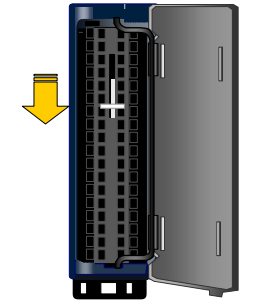
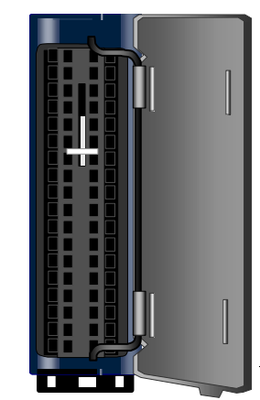
The GE IC694TBS032 is a spring-loaded terminal block for the PACSystem RX3i programmable automation controller series. It has faster wiring speed and more reliable connection performance, facilitates quick installation and removal of wires, and can be used with a variety of GE Fanuc modules.
Technical Specifications
|
Manufacture |
GE |
|
Model |
IC694TBS032 IC694TBS132 |
| Part Number | IC694TBS032 IC694TBS132 |
|
Description |
Rx3i PAC System Spring-style Terminal Blocks |
|
Origin |
USA |
|
Dimension |
13*8*5cm |
|
Weight |
0.2kg |
Product Details
Installing or Removing a Module's Terminal Block Assembly: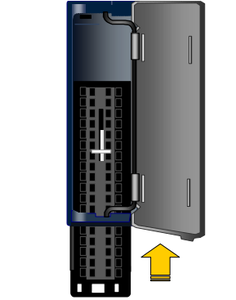
1. Mechanical connection between module and terminal
Remove the I/O module from the RX3i rack (if installed) and ensure that there is no dust or oil on the surface of the module.
Observe the connection interface between the terminal (IC694TBS032) and the module: there are pins on the back of the terminal corresponding to the module pins, and there are terminal installation slots on the front of the module. Align the positioning buckles (usually plastic tenons on both sides).
Gently push the terminal to the module interface, and confirm that the buckle is locked after hearing a "click" sound, ensuring that the terminal and the module are completely fitted and not loose (you can gently pull the terminal to check whether it is firm).
Remove the I/O module from the RX3i rack (if installed) and ensure that there is no dust or oil on the surface of the module.
Observe the connection interface between the terminal (IC694TBS032) and the module: there are pins on the back of the terminal corresponding to the module pins, and there are terminal installation slots on the front of the module. Align the positioning buckles (usually plastic tenons on both sides).
Gently push the terminal to the module interface, and confirm that the buckle is locked after hearing a "click" sound, ensuring that the terminal and the module are completely fitted and not loose (you can gently pull the terminal to check whether it is firm).
2. Installation of the module and the rack (if not installed)
Insert the I/O module with the terminals installed along the rails of the RX3i rack, align it with the bus interface on the rack, and push it in until the locking lever on the side of the module pops up and locks automatically, ensuring a reliable connection between the module and the rack bus.
Insert the I/O module with the terminals installed along the rails of the RX3i rack, align it with the bus interface on the rack, and push it in until the locking lever on the side of the module pops up and locks automatically, ensuring a reliable connection between the module and the rack bus.
High-density Terminal Blocks:
1. Press the terminal block assembly straight toward the module until it is partially seated.
2. Open the door on the front of the terminal block and push the latch (see below) up very firmly until it reaches the top of the slot and clicks into place.
3. Check to be sure the terminal block is fully seated.
Removing a High-Density Terminal Block from the Module
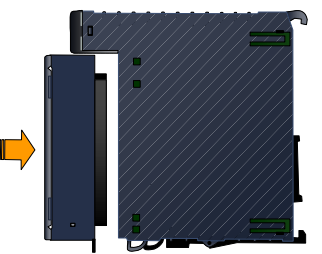
1. Open the terminal block door.
2. Push the latch down as shown at left very firmly until the terminal block is released.
3. Pull the terminal block away from the module until the contacts have separated.
Removing a Terminal Block from Its Cover
To remove a Terminal Block from its cover:
1. Grasp the sides of the Terminal Block cover.
2. Pull down on the bottom of the Terminal Block.