













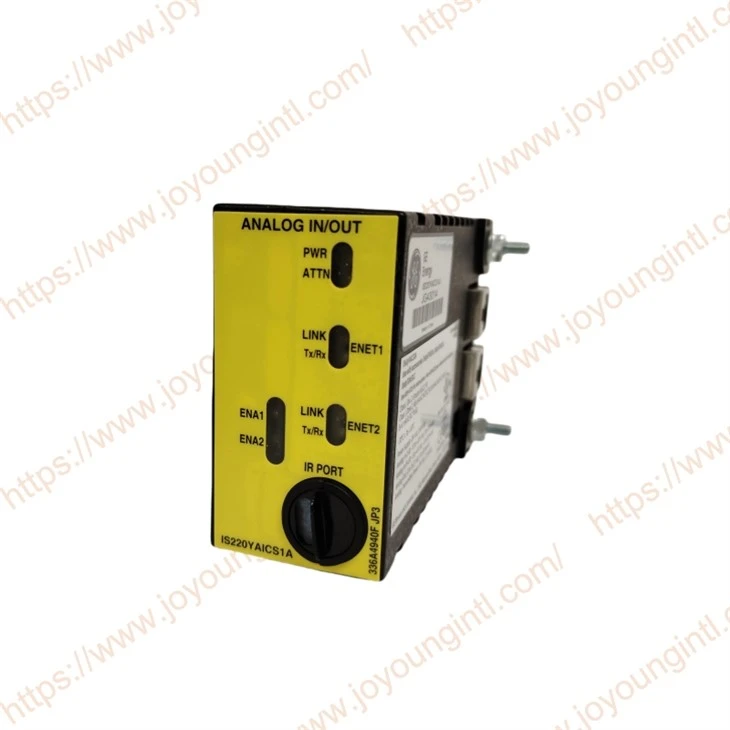

Product Introduction

Technical Specifications
|
Manufacture |
General Electric(GE) |
|
Model |
IS220YAICS1A |
| Part Number | IS220YAICS1AJ |
|
Description |
Analog I/O Module |
| Series | Mark VIe / Mark VIeS |
| Communication interface | Dual RJ45 Ethernet |
|
Origin |
USA |
|
Dimension |
18*18*7cm |
|
Weight |
0.5kg |
Product Details
Analog signal acquisition (Analog Input)
Control signal output (Analog Output)
Communication with the controller (such as UCSB)
Data preprocessing and filtering
Safety control and system feedback
Dual redundant system
Triple redundant system (TMR)
Installation Instructions
IS220YAICS1AJ belongs to the I/O Pack + Terminal Board (terminal board) combination structure:
I/O Pack: Core for Data Acquisition and Communication
Terminal Board: Interface for On-Site Signal Wiring
Install the terminal board
Install the terminal plate at:
DIN rail or
Fixed position of the control cabinet
Connect the I/O Pack module
Align the IS220YAICS1AJ with the terminal board interface
Insert the interface vertically (avoid tilting)
Confirm that it is fully inserted
Tighten the fixing screws
Ethernet communication connection
The IS220YAICS1AJ provides two RJ45 interfaces:
Connection method:
Port 1 → IONet network
Port 2 → Redundant or cascaded
Debugging and Configuration
Use the official software of GE: ToolboxST
Add the I/O Pack module
Assign IP addresses
Configure channel parameters
Check the status of IONet
How to check the communication status through the panel indicator lights
The front panel of IS220YAICS1AJ usually includes the following key LEDs
Each Ethernet port has a LINK LED Constantly on (ON) → Ethernet physical connection has been established (communication foundation is normal)
Off (OFF) → No network connection (problem with network cable/switch/port)
Blinking → Data is being sent/received (communication is normal)
Constantly on or not blinking → Connection exists, but no data communication
Off → No communication
Off → Normal operation (communication is normal)
Always on → Fault (unable to operate)
Fast flashing → Configuration error / No terminal board / Program error
Slow blinking → Position identification (not a fault)
On → Normal power supply
Off → No power supply