













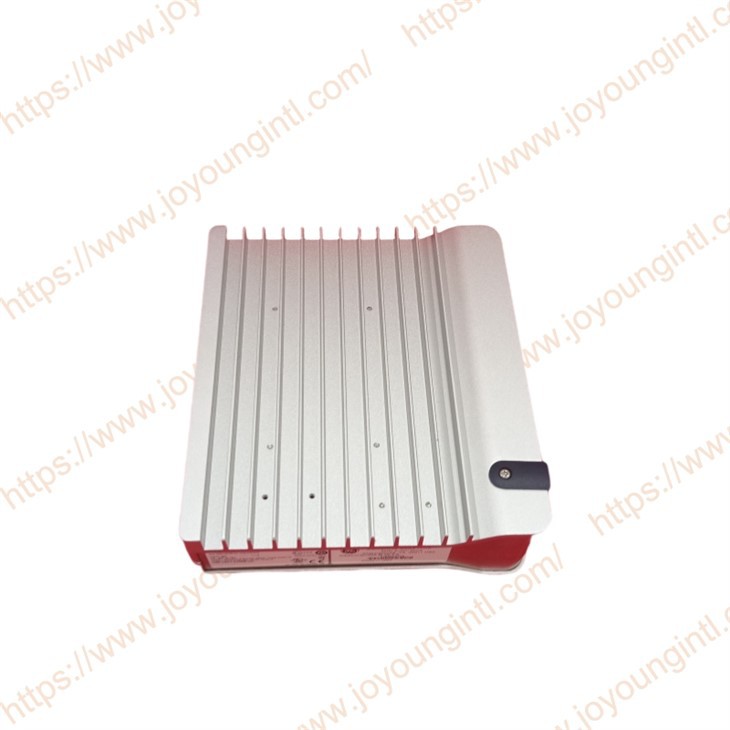
Description
Technical Parameters
Product Introduction
IS420YUAAS1A Sixteen Simplex analog channels can be configured individually as any of the following types: Thermocouple, RTD, Voltage Input (± 5 V or ± 10 V), 4–20 mA current input, 0–20 mA current output, pulse accumulator, or digital input. Configuration of I/O channels is accomplished with the ToolboxST* application.
Technical Specifications
|
Manufacture |
General Electric(GE) |
|
Model |
IS420YUAAS1A |
| Part Number | IS420YUAAS1A |
|
Description |
Mark VIeS YUAA Universal I/O Pack
|
|
Origin |
USA |
|
Dimension |
37*17*9cm |
|
Weight |
0.85kg |
Product Details
The YUAA module consists of the YUAAS1A I/O pack connected to the SUAAS1A terminal board. The initial release of the module meets a variety of international regulations and standards, including RoHs components.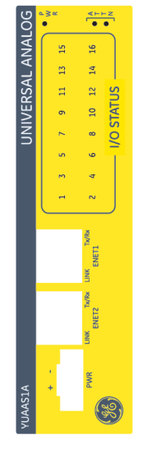
The boards internal to the I/O pack include one BPPC processor, one BCAR carrier board, and four MIO- universal analog I/O boards. The BPPC processor is common to many Mark VIeS I/O packs. The SUAA terminal board provides removable terminal blocks to reduce maintenance down times. The YUAA module operates on simplex control side power as supplied by a 28 V source. There are no internal jumpers, switches, or fuses required to configure the module.
The YUAA continues to meet the same high level of reliability/availability standards as other Mark control system products. Savings to the customer include fewer panels/footprint and variations for replacement parts.
YUAA module Installation:
The 16-channel module can be mounted with terminal blocks facing either left or right direction when mounted on a vertical
DIN-rail, using pluggable Euro-style terminal blocks. The average panel area/channel (dimensions) is approximately the same
as an existing small S-terminal board footprint.
➢➢To install the YUAA module into an existing control cabinet
1.Follow all standard safety and LOTO procedures and agency or specific area / location requirements for safety.
2.Securely mount the SUAA terminal board to the cabinet. It uses the same DIN mounting columns as existing Mark VIeS terminal boards. Refer to the section Mounting for mechanical dimensions and thermal management requirements.
3.If not already attached, connect the YUAA I/O pack to the terminal board using the two screws, and tighten to 2.146 Nm (19 in lb) torque.
4.Plug in one or two Ethernet cables to the RJ-45 connector(s) depending on the IONet configuration. The I/O pack will operate over either port. If dual connections are used, the standard practice is to connect ENET1 to the network associated with the R controller.
5.Attach the appropriate (24 – 12 AWG) wires to the terminal board screws depending on channels and devices being used.Tighten field wiring to 0.45 Nm (4 in lb). The terminal blocks are removable on a channel by channel basis. Field wiring shield ground connections are available on the metal frame of the module, separate from but adjacent to the removable terminal block. This requires the use of a metal shield strip similar to existing Mark VIeS terminal block brackets. Be aware that there is no isolation between the control and field side analog electronics. Refer to the section SUAA Universal Analog Terminal Board for more information, including a diagram and complete terminal board screw definitions.
a.For new installations, refer to the table Wiring and Configuration for New Installs for available modes, then refer to the appropriate wiring diagrams.
b.For retrofit installations, refer to the instructions related to the existing terminal board being replaced by the SUAA: STAI/SHRA Retrofits, STAO Retrofits, STTC Retrofits, SRTD Retrofits, or 24 V STCI Retrofits.
6.Apply power to the I/O pack by plugging in the 28 V dc connector. It is not necessary to remove power from the cable before plugging it in because the I/O pack has inherent soft-start capability that controls current inrush on power application.
7.Using the ToolboxST* application, configure and download to the I/O pack as necessary. Be sure that the IONet configuration matches the cable connections to the I/O pack
a.For new installations, refer to the table Wiring and Configuration for New Installs, then refer to the appropriateToolboxST configuration sections in this document for those Modes.
b.For retrofit installations, from the ToolboxST application open the existing system with the I/O pack that is being replaced with the new module, then generate an I/O report and a Configuration Report for the existing I/O pack. Using these reports, configure the new YUAA I/O pack as a replacement to the existing I/O pack.
Recommended Models
| IS200QTBAH1A | IS200QTBAH2A | IS200RPSAG1A | IS200SAIIH1A |
| IS200SCLTH1A | IS200SCLSH1A | IS200SAMBH1A | IS200SAIIH2A |
| IS200SCSAS1A | IS200SDIIH1A | IS200SDIIH2A | IS200SHRAH1A |
| IS200SPIDG1A | IS200SHRAS2A | IS200SHRAS1A | IS200SHRAH2A |
| IS200SPROH1A | IS200SPROH2A | IS200SPROS1A | IS200SRLYH1A |
| IS200STAIH1A | IS200SSCAH2A | IS200SSCAH1A | IS200SRLYH2A |
| IS200STAIH2A | IS200SSVPH1A | IS200SRTDH2A | IS200SRLYS1A |
| IS200STAIS1A | IS200SSVPH2A | IS200SRTDH1A | IS200SRLYS2A |